
Participant details stay on your phone. We can’t see them, by design.
For independent NDIS support workers
Log the shift before you leave the driveway.
Shift notes, hours and invoices, on your phone. Write the note on the spot, then turn your logged hours into an invoice for the plan manager.
Free to try. Pro A$59 once. No subscription · No account

- Secure Stripe checkoutCard details go to Stripe, never to us.
- Pay onceOne payment in AUD. No subscription.
- Participant details stay on your phoneNo account, no cloud, no copy on our servers.
- Made in QueenslandA small Australian software maker.
- 14-day refundNo questions asked, on top of your ACL rights.
- Real email supporthello@muscatlabs.com.au
What it does
Shift notes, hours and invoices, on your phone.
Write the shift note on the spot, keep your hours tidy, and turn them into an invoice for the plan manager.


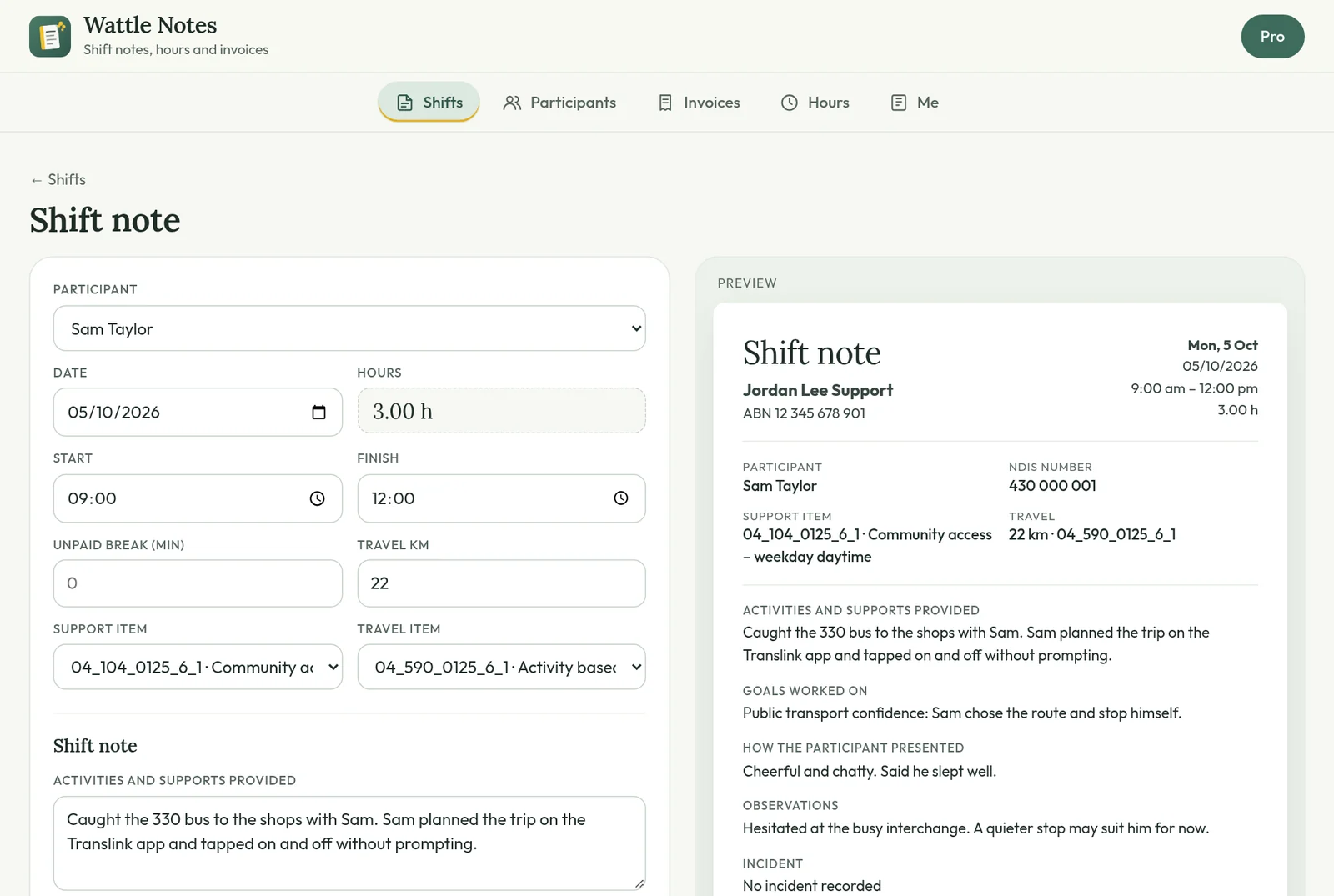
Log the shift before you leave the driveway.
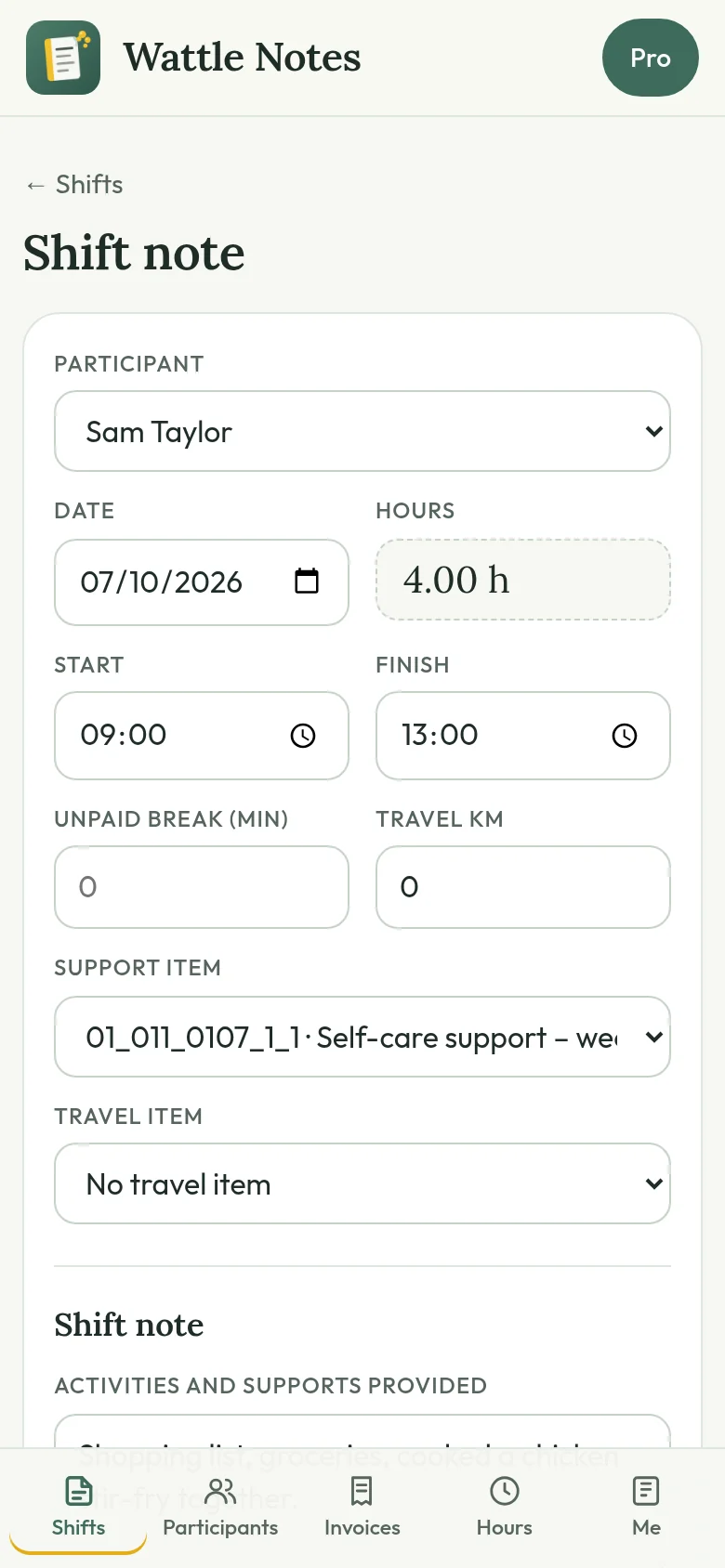
Pick the participant, set the start and finish, and Wattle Notes works out the hours. Write the note under clear headings: activities, goals worked on, how they presented, observations and follow-ups.
- Incident yes/no, with what happened and the action taken
- Overnight shifts, unpaid breaks and travel km
- Save any note as a one-page PDF
- A separate incident record PDF: time, what happened, people involved, any injury, action taken and who was told, with a line to sign
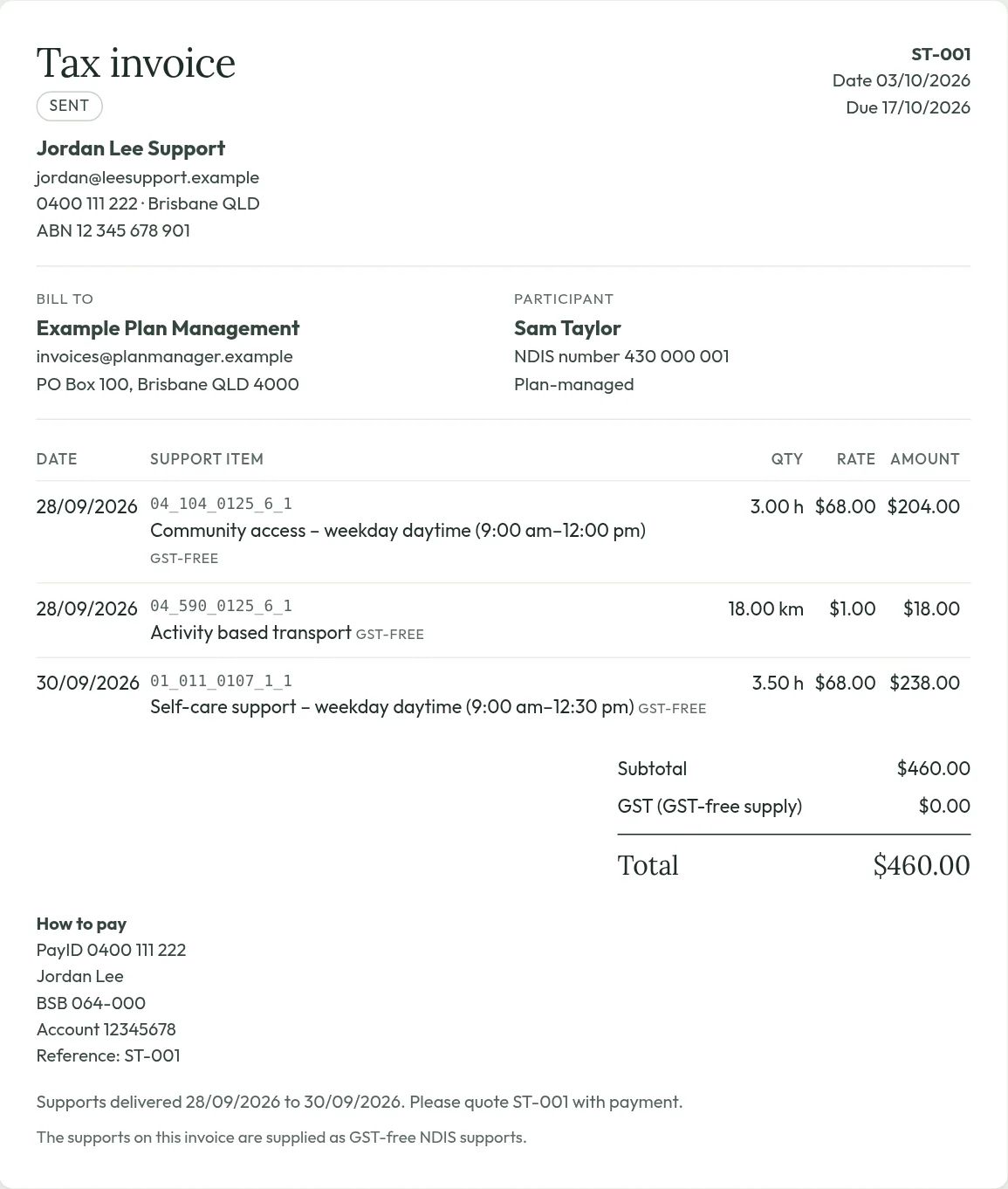
Invoice from the shifts you’ve logged.
Tap Invoice from shifts, tick the shifts, and the lines fill in with each date, your item number, hours and rate, plus travel. Add your ABN, PayID and bank details once.
- Invoice number prefix per participant
- You choose: no GST, GST-free, or 10% GST
- Mark paid, see what’s overdue, export CSV for your accountant
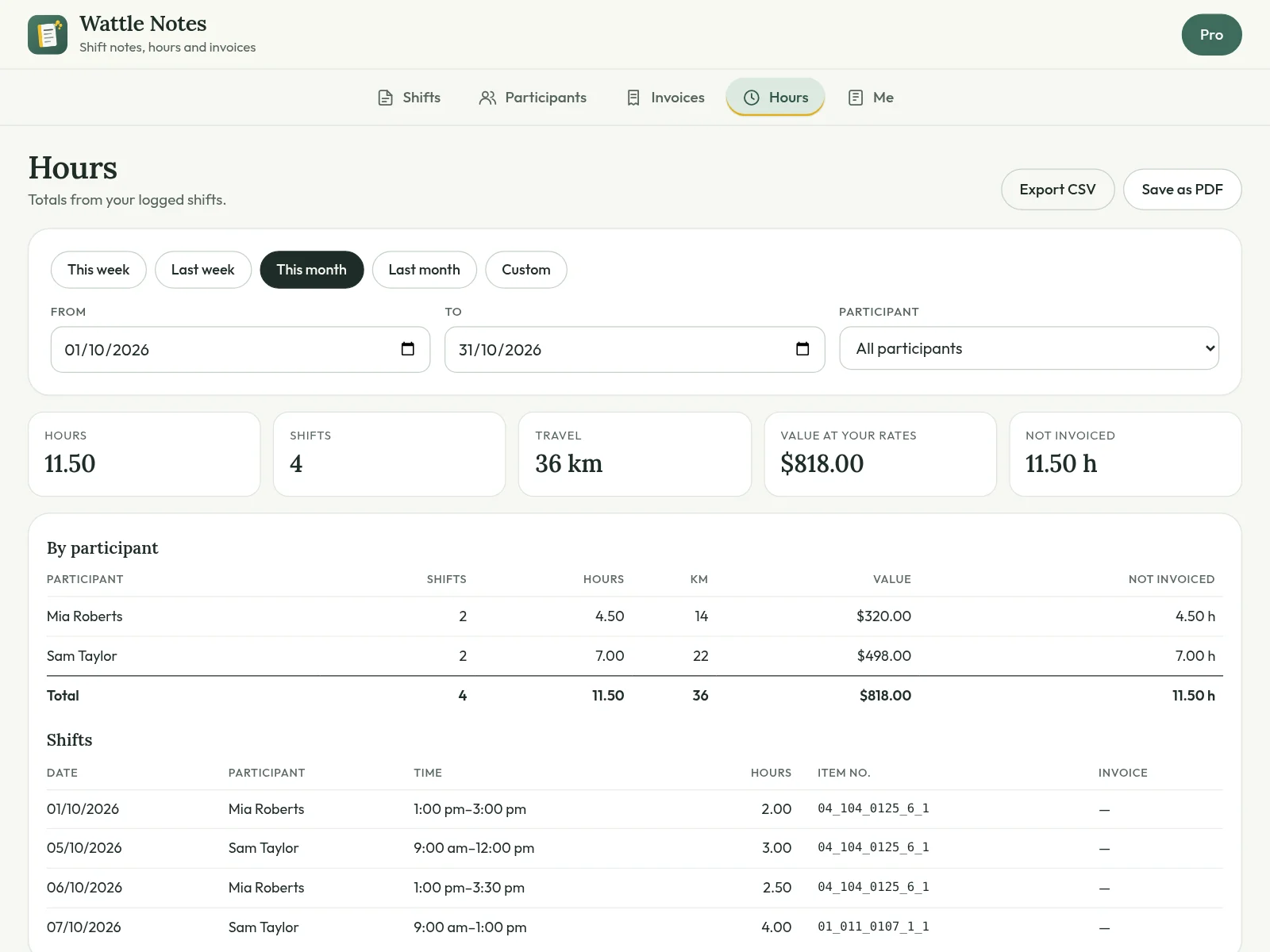
Know your hours, and what’s not invoiced yet.
See this week, last week or any dates by participant: shifts, hours, km, value at your rates, and hours still to invoice. Print a summary or a shift-notes report for a date range.
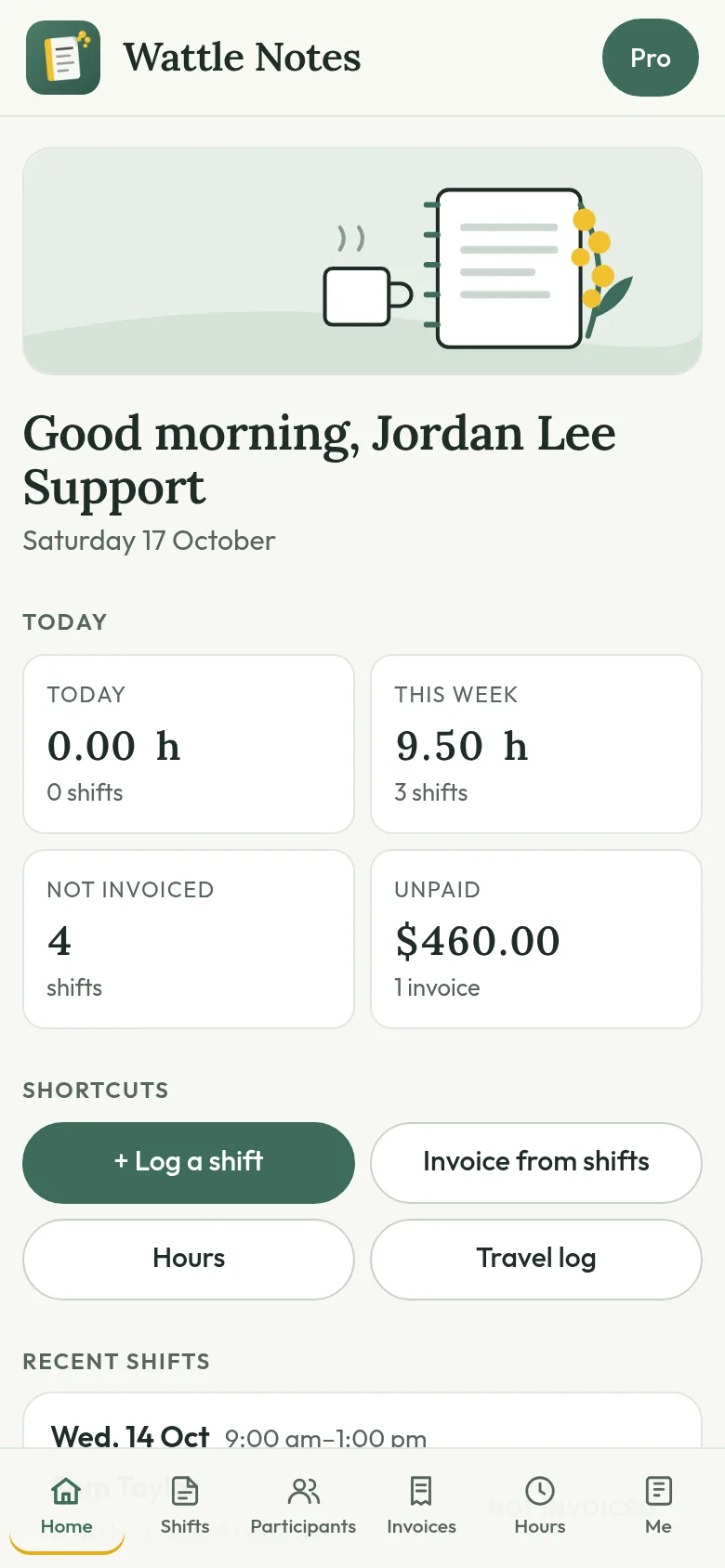
Your week, the moment you open it
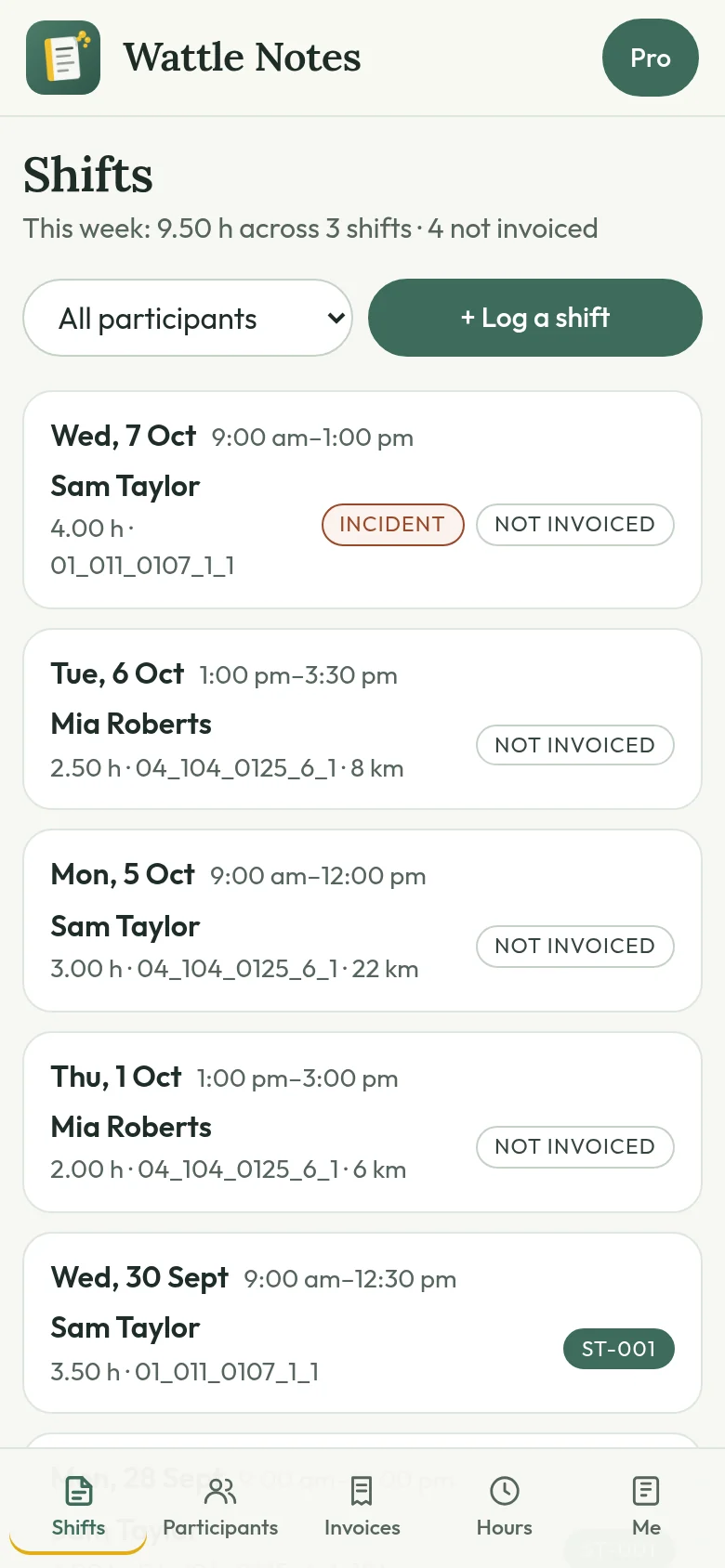
Home shows this week’s hours and kilometres, recent shifts, and anything you didn’t finish.
Note templates
Start a shift note from a template you saved, or one of the starters.
Travel log
Odometer start and finish, purpose of trip, and an export to CSV or PDF.
Pick up where you left off
Unfinished shift notes and invoices are saved as you type, with a prompt to carry on.
Your logo on invoices
Add your logo once and it appears on every invoice.
Privacy
Participant details stay on your phone.
Shift notes hold sensitive information about real people. Wattle Notes keeps it on your device and nowhere else.
- No account and no cloud. Everything is saved in your browser’s storage on your device.
- Muscat Labs has no server that receives your notes, so we can’t see them.
- No analytics, no trackers, no ads.
- Backups can be password-protected. The file is encrypted on your device before it’s saved.
- Data leaves your phone only when you export, print, email or share it yourself.
- Keep your phone locked with a passcode: anyone who can open your browser can open the app.
Included
In both Free and Pro
- Participants: name, NDIS number, plan-managed or self-managed, who to invoice, goals
- Shift notes with headings, incident flag and follow-ups
- Hours worked out from start and finish, breaks and overnight shifts
- Your own support items: item number, description and rate per hour, km or each
- Invoices from logged shifts, PDF, email, Mark paid and Overdue
- Hours summary, shift-notes report and CSV export
- Works offline and installs to your home screen
- No account, no analytics, no trackers
Price
Free to try. A$59 once for Pro.
No subscription. No account. Pay through secure Stripe checkout.
Free
Try it with one participant.
- 1 participant
- 5 documents (shift notes and invoices together)
- “Made with Wattle Notes · Free” on PDFs
- Everything else is included
Pro
For every participant and every shift.
- Unlimited participants
- Unlimited shift notes and invoices
- No watermark
- Pay once. You get a key to paste into the app.
Secure Stripe checkout · 14-day refund
Honest limits
What Wattle Notes does not do
It keeps your notes, hours and invoices tidy. It isn’t a care-management platform.
Your records, your responsibility. You remain responsible for your obligations under the NDIS Code of Conduct and your service agreements. Wattle Notes is not affiliated with or endorsed by the NDIA or the NDIS Quality and Safeguards Commission, and we don’t claim it makes you “compliant” or “audit ready”.
- No built-in NDIS price guide and no price-limit checks. You enter your own items and agreed rates.
- No AI note writing. Your notes are in your words.
- No rostering, staff logins or multi-worker features
- No cloud sync. Use the backup file to move or keep your records.
- No PRODA, myplace or bulk claiming
- No service-agreement templates
- No medical or behaviour-support advice
- It doesn’t report incidents to anyone. Follow your own reporting obligations.
Install and move
Put it on your phone
Open the app in your phone’s browser. On Android, tap Install app or use the browser menu and pick Add to Home screen. On iPhone, tap Share then Add to Home Screen.
Wattle Notes is a web app. It is not in the Google Play Store or Apple App Store.
New phone? Under Me, tap Export backup on the old phone and Import backup on the new one. Your participants, shifts, invoices and Pro unlock come across.
- Android: Install app, or menu → Add to Home screen
- iPhone: Share → Add to Home Screen
- Offline: once it’s loaded, it works without signal
- New phone: Export backup, then Import backup
Questions
Wattle Notes FAQ
Is there a subscription?
No. The free version is free for good. Pro is one payment of A$59, in Australian dollars, through secure Stripe checkout.
Who is it for?
Independent support workers with their own ABN who invoice self-managed or plan-managed participants. It’s made for one person, not an agency, so there are no staff logins or rosters.
Where is participant information stored?
Only on your phone or computer, in your browser’s storage. Muscat Labs has no server that receives it and we can’t see it. It leaves your device only when you export a backup, save a PDF, or email or share something yourself. Keep your phone locked with a passcode.
Does it include the NDIS price guide?
No. You enter your own support item numbers and the rates you’ve agreed in your service agreements. Wattle Notes doesn’t check rates against NDIS price limits, so check the current NDIS Pricing Arrangements yourself.
Is it “NDIS compliant”?
We don’t make that claim. Wattle Notes helps you keep tidy shift notes, incident records, hours and invoices. What you record, and meeting your obligations under the NDIS Code of Conduct and your service agreements, is up to you. Wattle Notes is not affiliated with or endorsed by the NDIA or the NDIS Quality and Safeguards Commission.
How does it handle GST?
You choose on each invoice: not registered for GST (an invoice with no GST), GST-free supply (a tax invoice showing GST $0.00), or 10% GST. Whether a support is GST-free depends on the participant’s plan, your written agreement and the ATO rules. See the ATO’s NDIS page or ask your accountant.
Will plan managers accept the invoices?
Each invoice shows your name, ABN, the participant and NDIS number, the date of each support, your item numbers, hours, rates and payment details. Plan managers set their own requirements, so check with them if you’re unsure. You can edit any line before you send.
Does it work on iPhone and Android?
Yes. Wattle Notes runs in your phone’s browser and can be added to your home screen. It keeps working without signal once it has loaded, which helps in the car or at a participant’s home.
What if it’s not for me?
Ask within 14 days for a full refund, no questions asked. Email hello@muscatlabs.com.au. See the refund policy.
Your next shift note, done on the spot.
Free to try. Pro is A$59 once. No subscription.
Need a hand? If something isn’t working as expected, contact our support team at hello@muscatlabs.com.au and we’ll help you sort it out.
Contact support