 Docketday, by Muscat Labs
Leave the site with a signed docket in hand.
Clock on, tag the job, and send a clean docket your client can sign on your phone. Built for tradies and small crews. Works with no signal, and your data stays on your phone. One payment of A$149 covers the whole business.
- Works with no signal
- Free for one worker
- No monthly fee
- Made in Queensland
Records hours only. Not payroll software.
How it works
Clock on. Get it signed. Send the CSV.
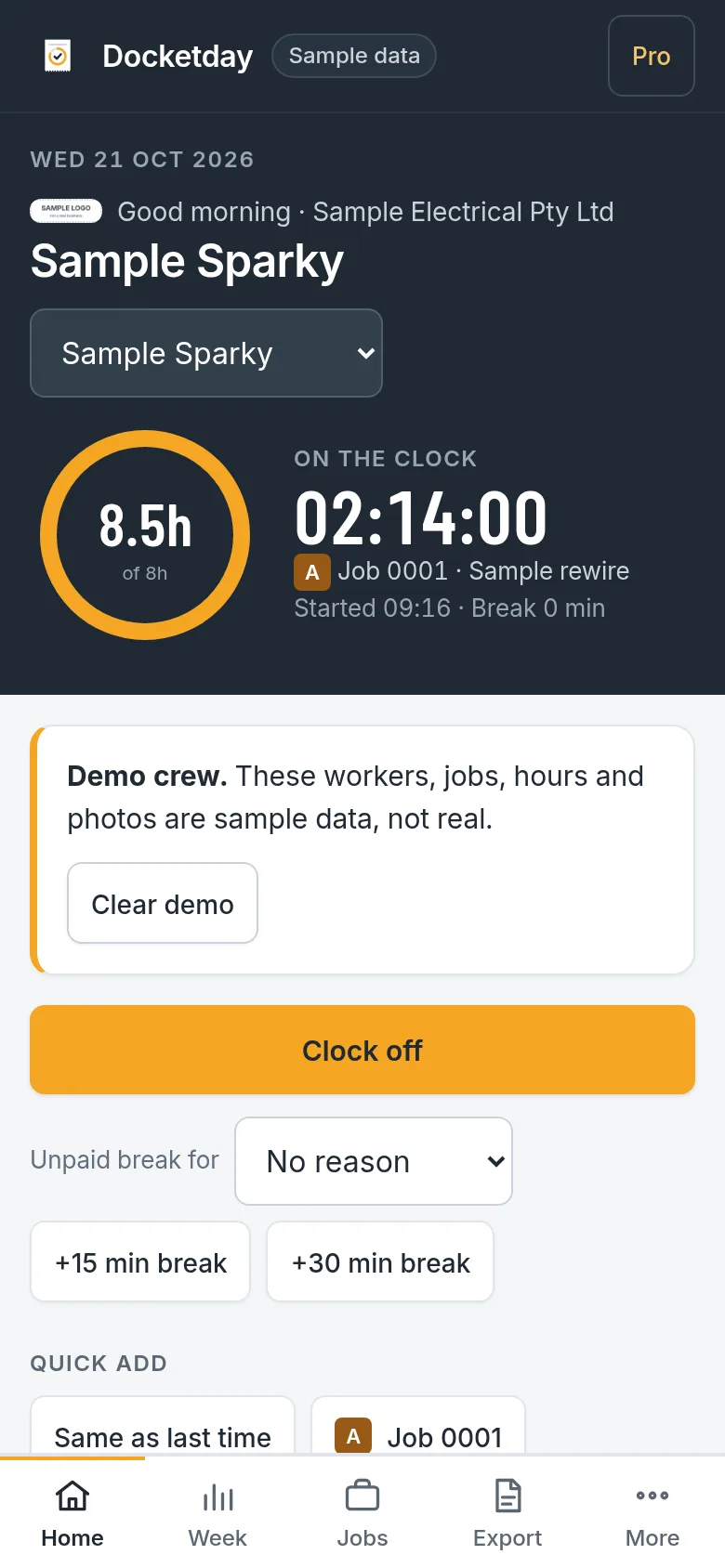
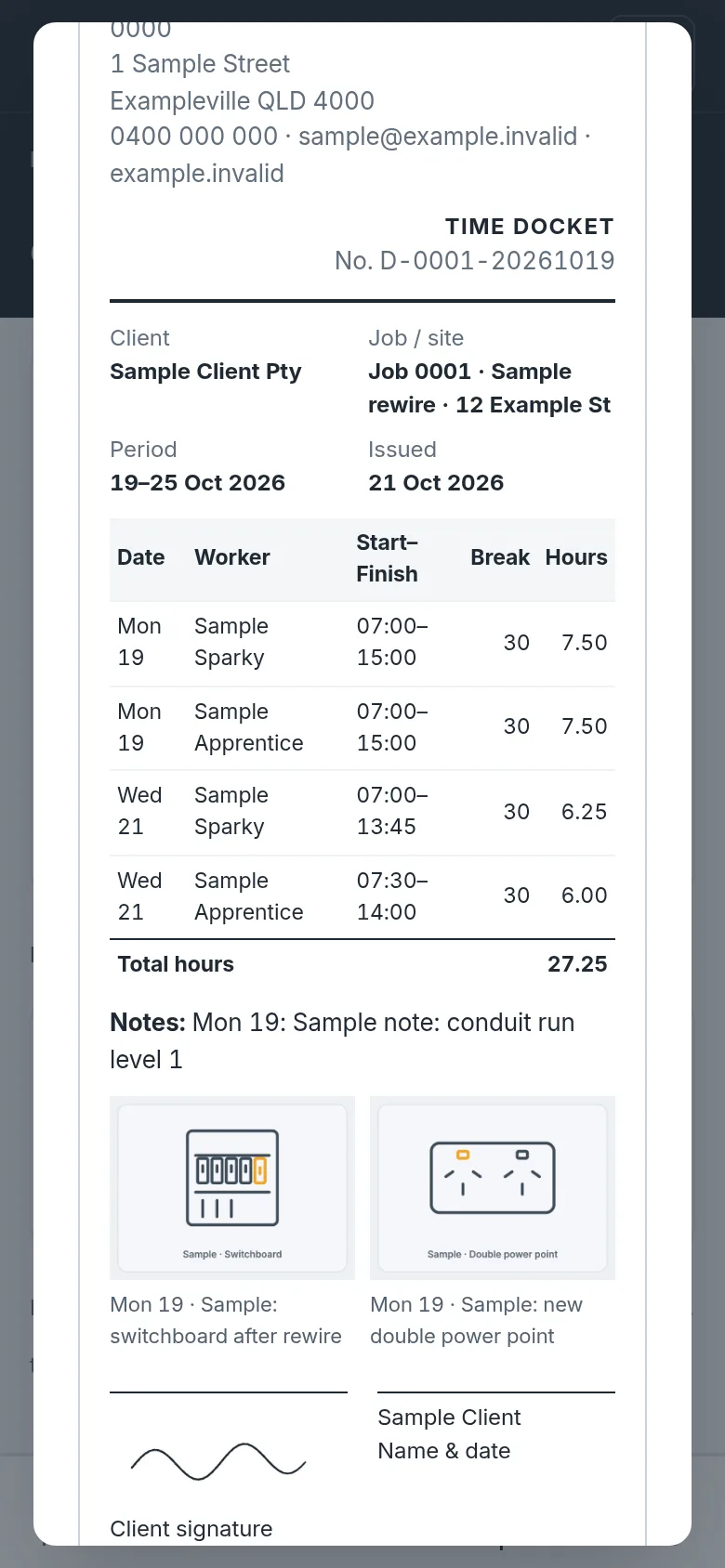
1. Clock on in one tapPick the job and tap Clock on. The timer keeps running if you close the app. 2. A signed docketYour client signs on your phone. The docket shows your business details, the hours and their signature. 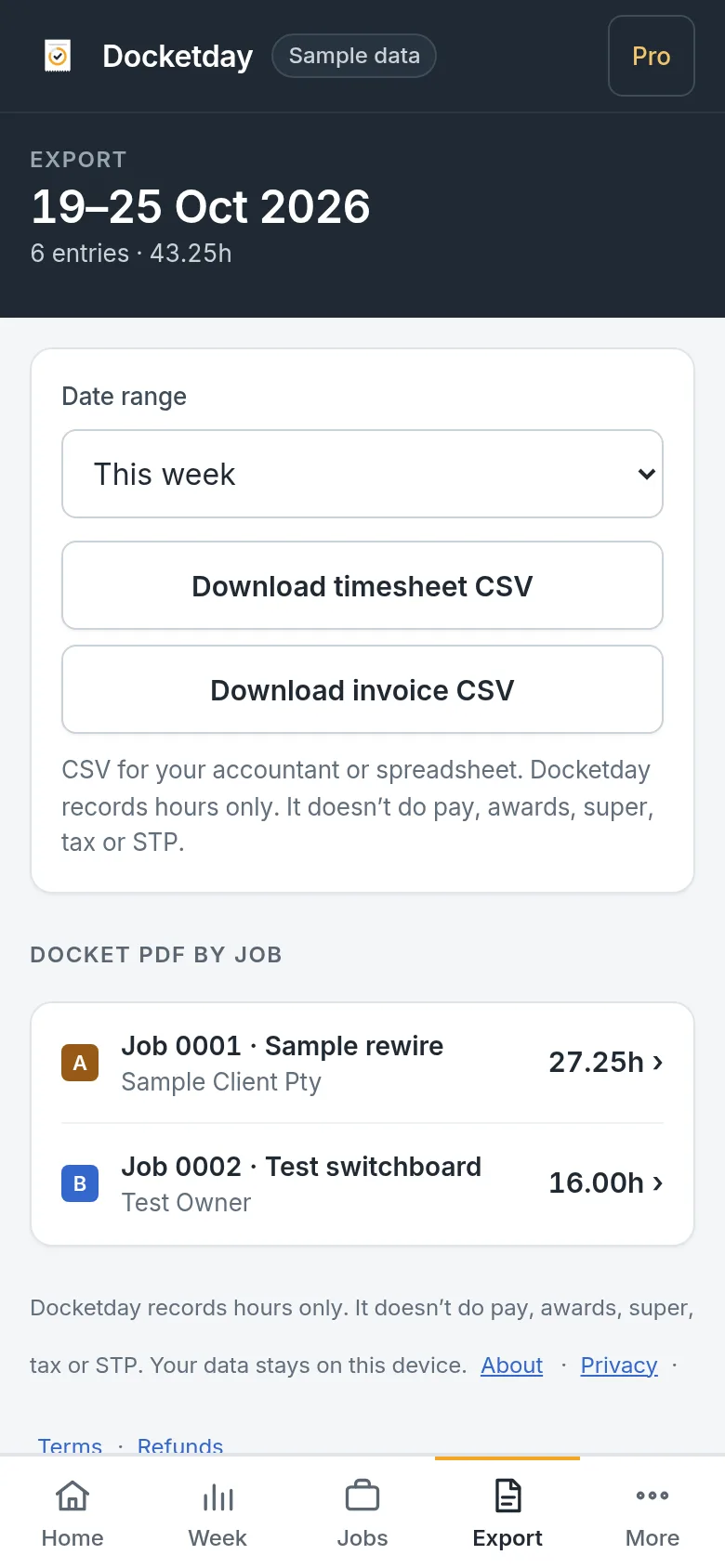
3. The CSV exportWeekly hours by worker and job, as a CSV for your accountant or spreadsheet.
Screens show sample data.
What it does
Clock on, tag the job, send the docket.
For sparkies, chippies, plumbers, painters and anyone who bills by the hour on site.
Works with no signal
Clock on, add hours and make dockets with no reception on site. No account and no cloud: your data stays on your device, with a backup file you control.
Clock on in one tap
Pick the job and tap Clock on. The timer keeps going even if you close the app or your phone goes flat, because it saves the start time.
Every hour against a job
Jobs carry a number, client and site address, plus a colour tag so the right job is easy to pick. See hours per job for the week or any date range.
Dockets clients can sign
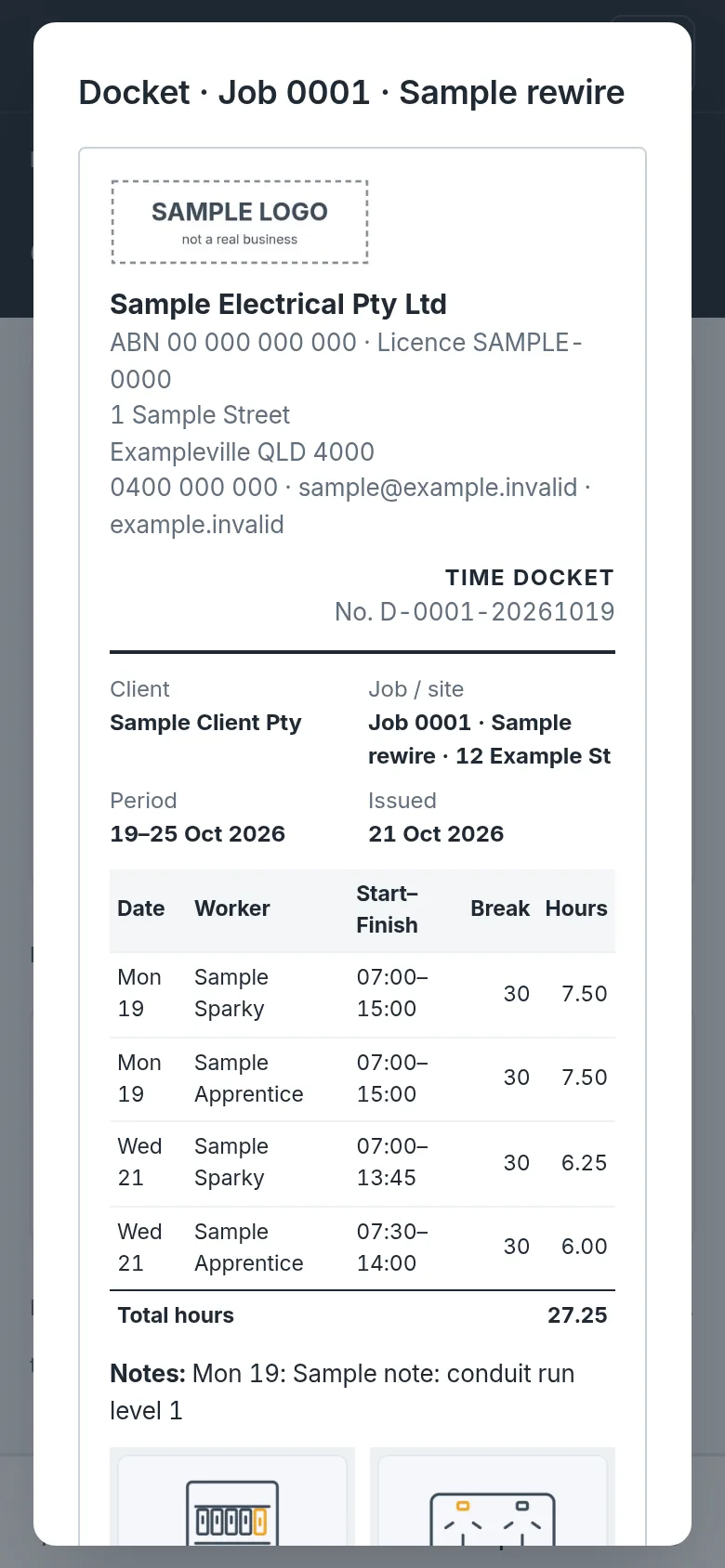
A clean PDF time docket with your own logo, business name and ABN, a table of hours, a total, an optional photo and the client’s finger signature (Pro).
Your whole crew
Add your workers and clock each one on and off from one phone. See who’s on and where (Pro).
CSV for your accountant
A tidy timesheet CSV for your accountant or spreadsheet, plus an invoice CSV per job (Pro).
A Home screen for the day
Open the app to today’s hours, the job you’re on and shortcuts to add a job, take a job photo or make a docket.
Autosave as you type
Half-filled jobs, workers, time entries and dockets are saved as you go. If you get called away, Docketday offers to continue where you left off.
Job photos
Take before-and-after photos on each job. They stay on your phone, and you can add one to a docket (Pro). Free holds 3 photos per job, Pro up to 30.
Dockets
A docket your client signs on your phone.
Your logo, business name and ABN at the top, every shift in a table, the total, and a line for your client to sign.
Pricing
Free for one worker. Pro is one payment.
No subscription. One price covers your whole business.
| Feature | Free | Pro |
|---|---|---|
| Workers / jobs | 1 / 3 | Unlimited |
| Clock on/off, hours ring, quick add | Yes | Yes |
| Week view and job totals | Yes | Yes |
| Timesheet CSV | This week | Any date range |
| Invoice CSV per job | – | Yes |
| PDF dockets with sign-off and photo, share | – | Yes |
| Backup and restore | Yes | Yes |
Pro
A$149 once
Per business, in AUD. No subscription.
Buy Pro — A$149 onceSold by Muscat Labs · ABN 71 202 059 822
Secure Stripe checkout. 14-day refund, no questions asked, on top of your Australian Consumer Law rights. See our terms.
Records hours only. Docketday doesn’t calculate pay, awards, overtime, super or tax, and it isn’t payroll or STP software. Check your obligations with your accountant.
Your data
It stays on your phone.
No account and no cloud. Your hours, jobs and photos are stored on the device. Export a backup file whenever you like, and restore it on a new phone.
Questions
Good to know
Does Docketday do payroll or work out wages?
No. Docketday records hours worked against jobs and sites. It doesn’t calculate pay, award rates, overtime, super or tax, and it isn’t STP software. Use your payroll software or accountant for that.
Does it connect to accounting software?
There’s no direct connection. Docketday exports a CSV for your accountant or spreadsheet, and an invoice CSV per job (Pro). Check any file before you import it into other software.
Can my crew use it on their own phones?
Version 1 works on one device: the crew lead clocks everyone on and off. Each phone keeps its own data, and there’s no syncing between phones.
What does the free version include?
One worker and up to three jobs, with clock on/off, manual entries, the weekly view and a CSV of the current week. Pro is A$149 once per business and adds unlimited workers and jobs, PDF dockets with sign-off and photo, any date range and the invoice CSV.
Can I get a refund?
Yes. Docketday Pro has a 14-day, no-questions refund, on top of your rights under the Australian Consumer Law. See the refund policy.
Where is my data kept?
Only on your phone or computer, in your browser’s storage. We don’t run servers that hold it. Export a backup file to keep a copy or move to a new phone.
Leave the site with a signed docket in hand.
Free for one worker. Pro is A$149 once per business.
Need a hand? If something isn’t working as expected, contact our support team at hello@muscatlabs.com.au and we’ll help you sort it out.
Contact support