
Quotes and GST invoices on your phone
Quote the job. Invoice it. Get paid.
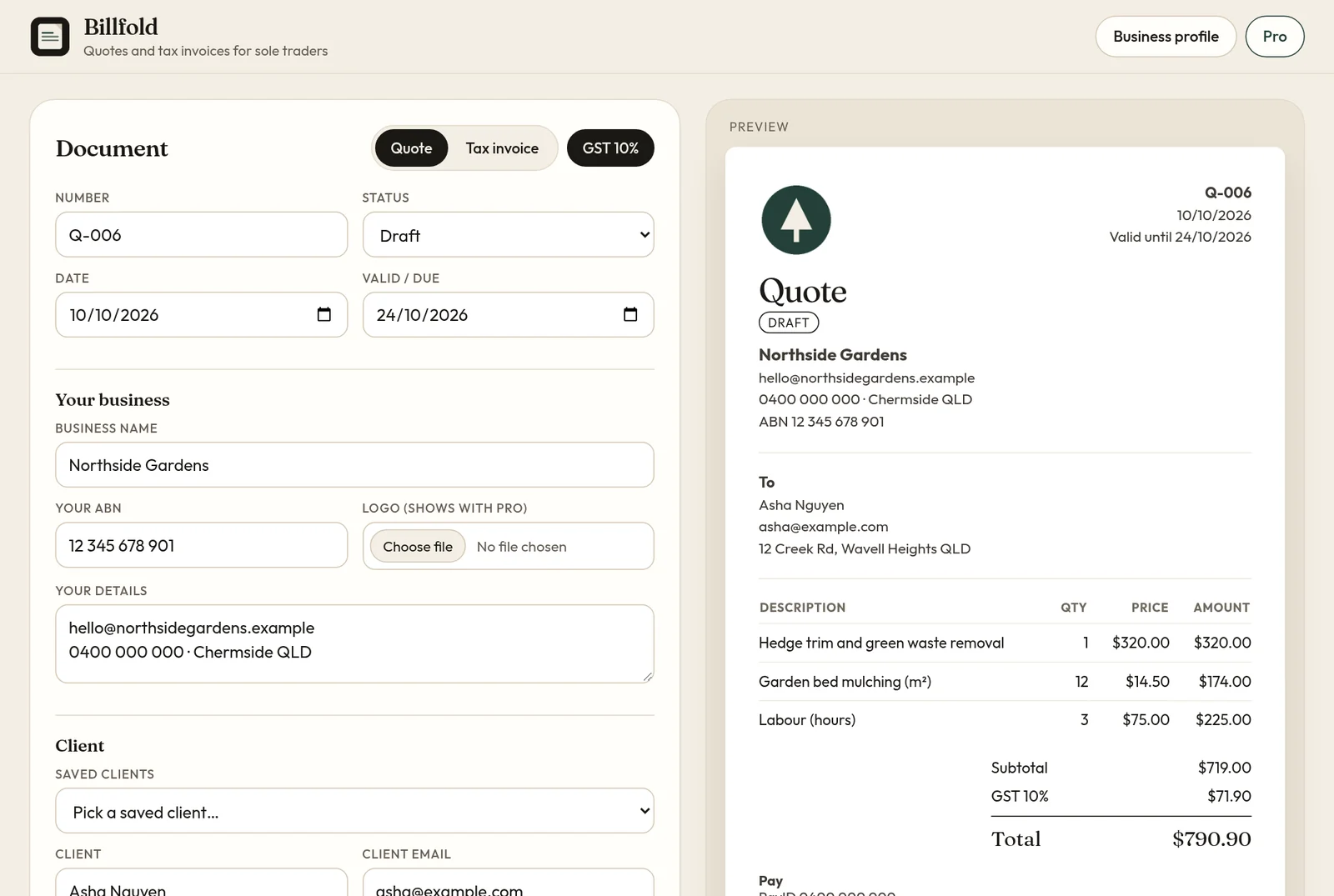
Write a quote on site, turn it into a tax invoice, add PayID, and send the PDF. Made for Australian sole traders. Documents stay on your device.
Your invoices are never locked behind a renewal. Pay once. Export everything, any time.
Set up in 3 fields: business name, ABN and logo, with a live invoice preview.
Free to try. Pro A$49 once. No subscription · No account
- Secure Stripe checkoutCard details go to Stripe, never to us.
- Pay onceOne payment in AUD. No subscription.
- Your data stays privateNo account. Documents stay on your device; Shoutaroo groups sync end-to-end encrypted.
- Made in QueenslandA small Australian software maker.
- 14-day refundNo questions asked, on top of your ACL rights.
- Real email supporthello@muscatlabs.com.au
What it does
Everything a sole trader needs to quote and get paid. Nothing you don’t.
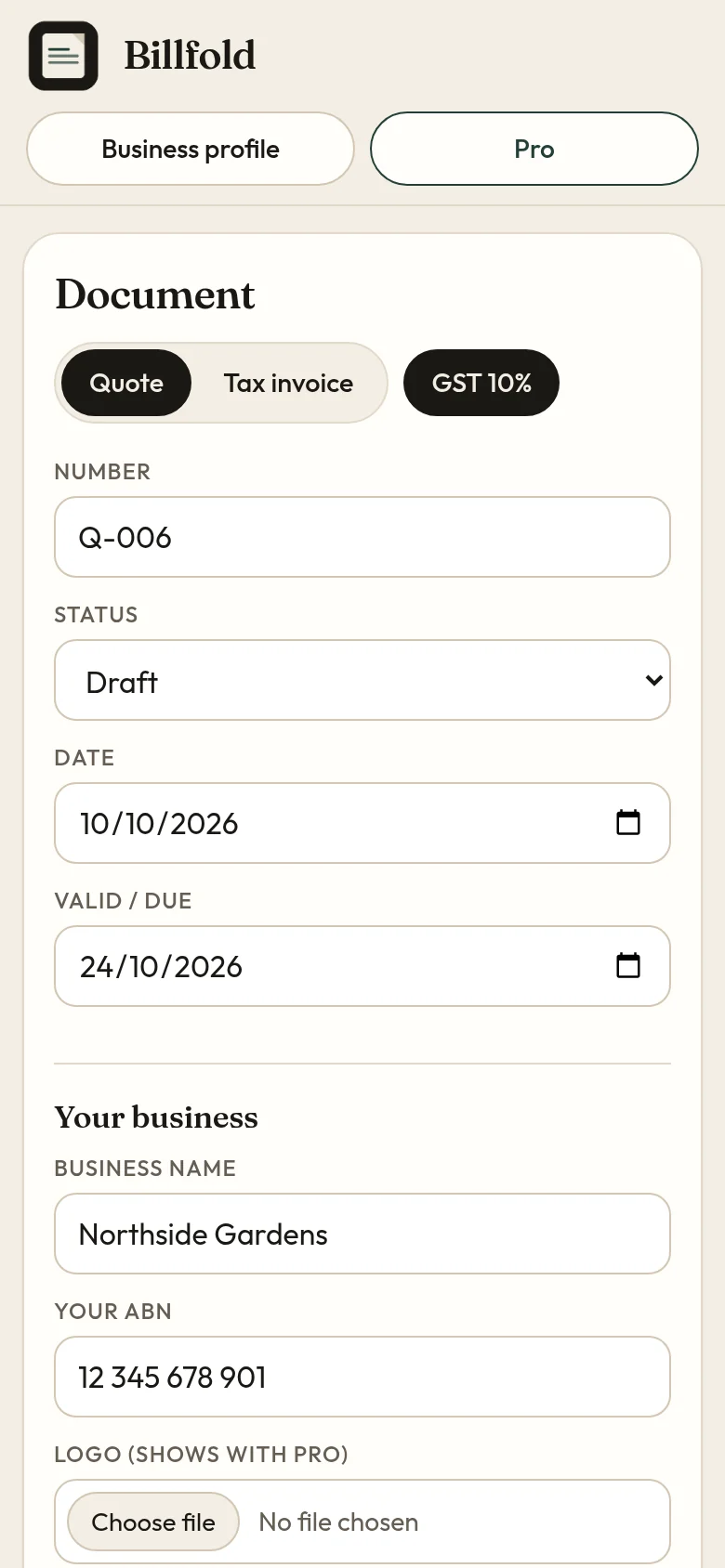
Set up once. Every quote starts with your details.
Save your business name, ABN, logo, PayID and bank details once. Every new quote starts with them. Pick a saved client, add your lines, done.
- Saved clients you can pick next time
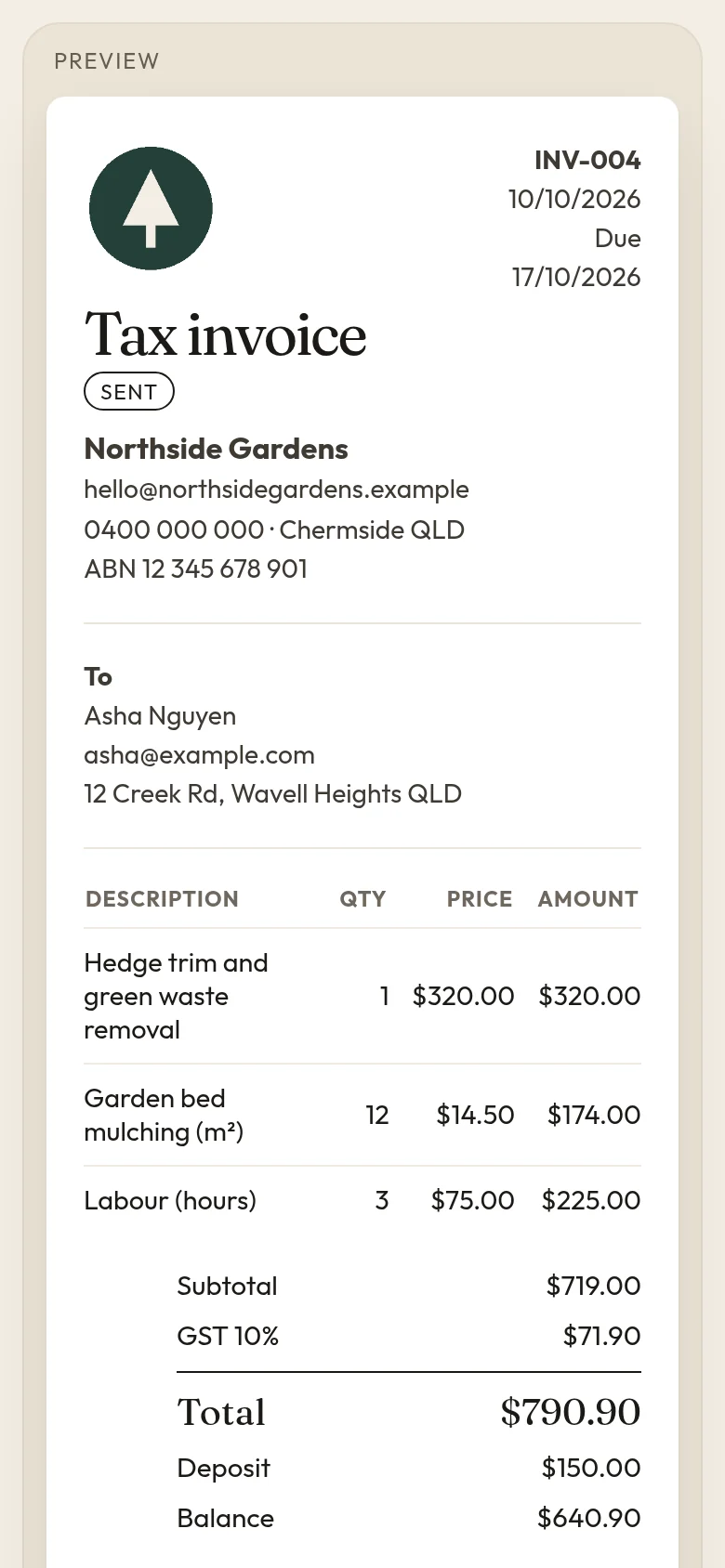
- Deposit and balance worked out for you
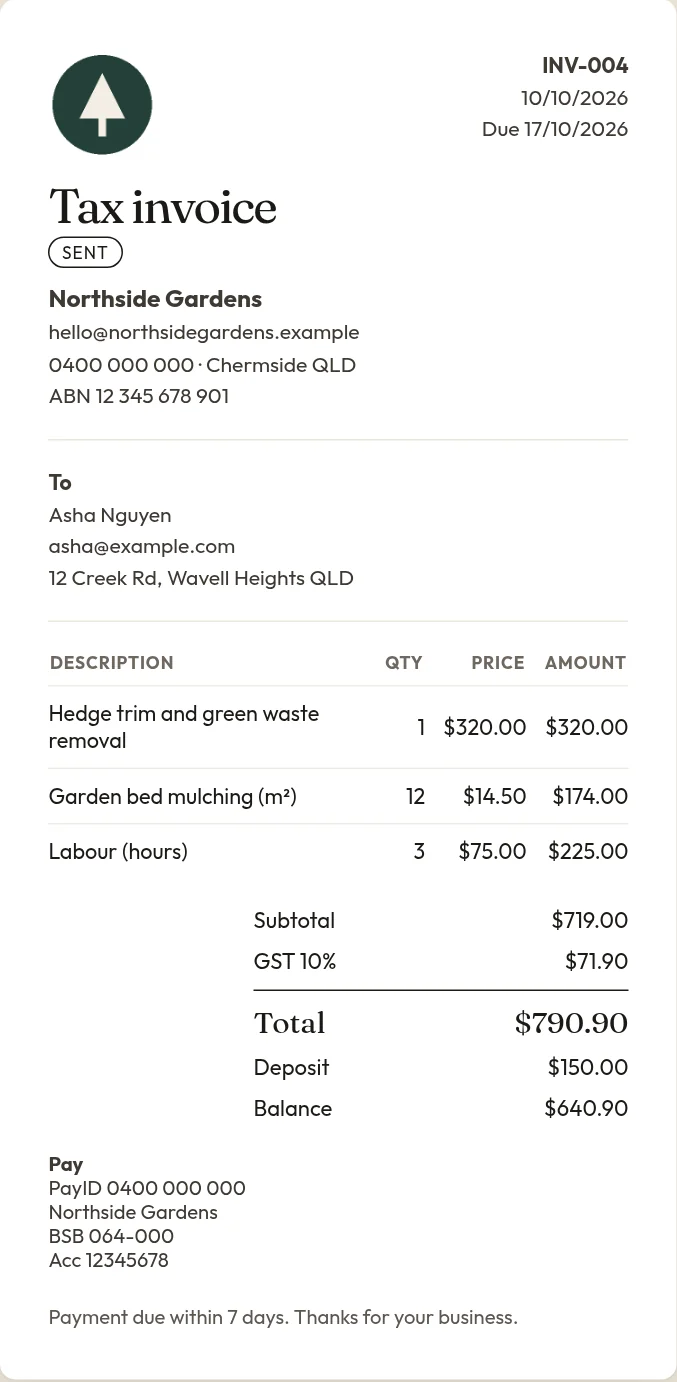
A clean tax invoice, with GST and PayID.
Turn an accepted quote into a tax invoice in one tap. Billfold adds 10% GST, your ABN, and your PayID and BSB so clients know exactly how to pay.
- Save as a one-page A4 PDF
- Email or share it from your phone
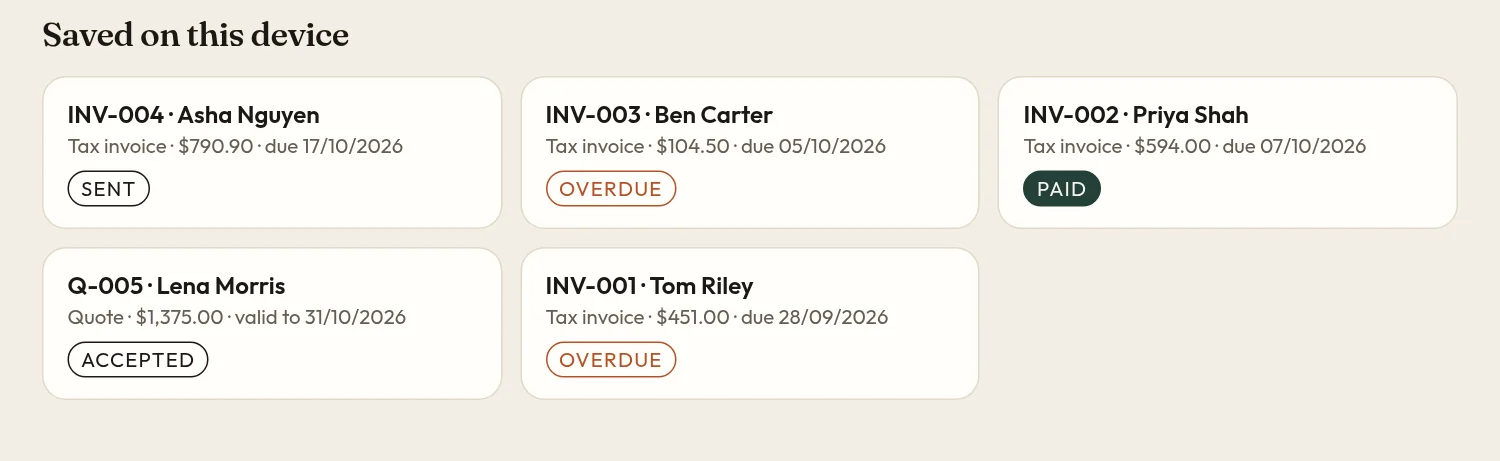
Know who has paid.
Every quote and invoice is saved on your device with its status. Overdue invoices flag themselves when the due date passes. Mark paid in one tap.
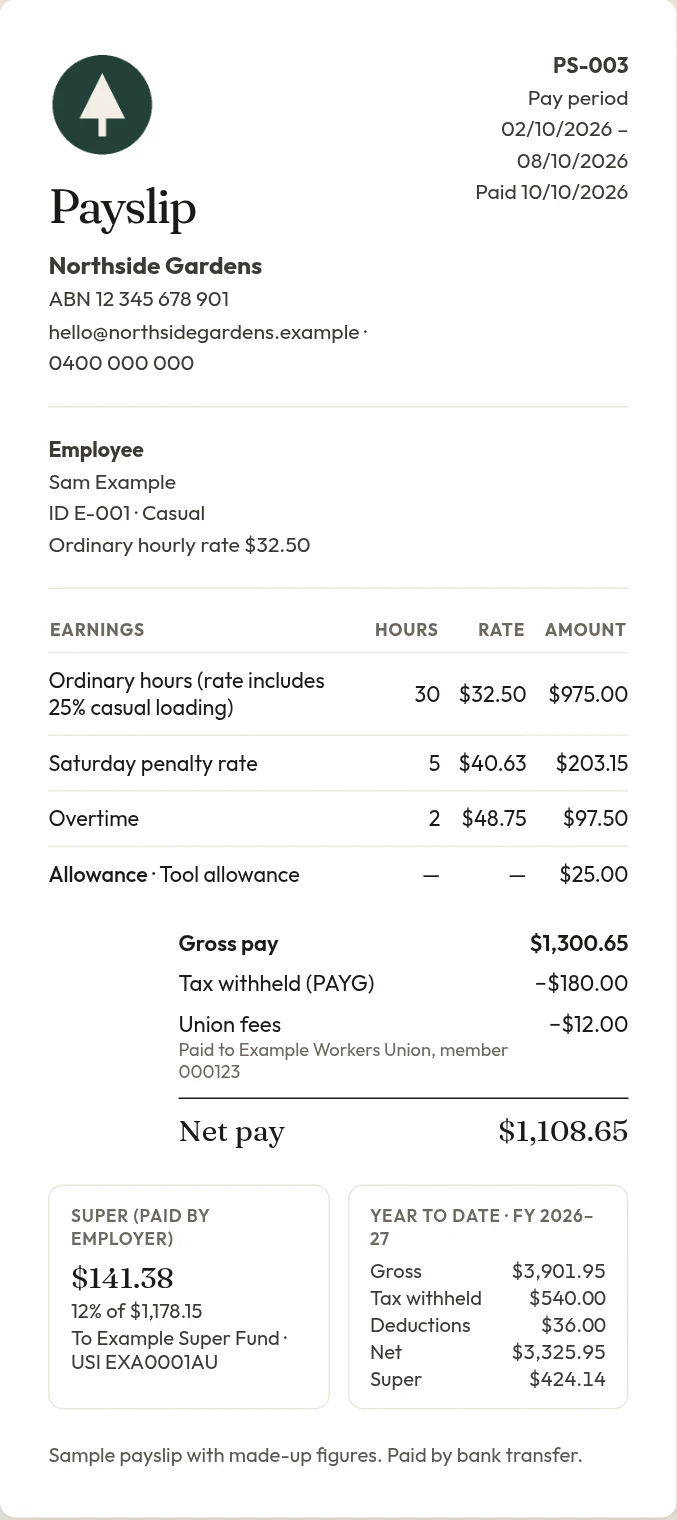
Payslips for your staff, too.
Got a casual or two? Make payslips from the figures you enter: hours, rates, allowances, and track super at a rate you set. Your business name and ABN come from your profile, and each employee is saved for next time. Billfold adds up the totals and keeps year-to-date figures for the financial year.
Billfold doesn’t work out pay rates, tax or what super you owe. It adds up the figures you enter. Check with your accountant.
- Hours at each rate, allowances, loadings, penalty rates and bonuses on their own lines
- You enter the tax withheld; Billfold subtracts it and any deductions
- Track super at a rate you set (12% filled in), or type the amount
- One tap to start the next pay period
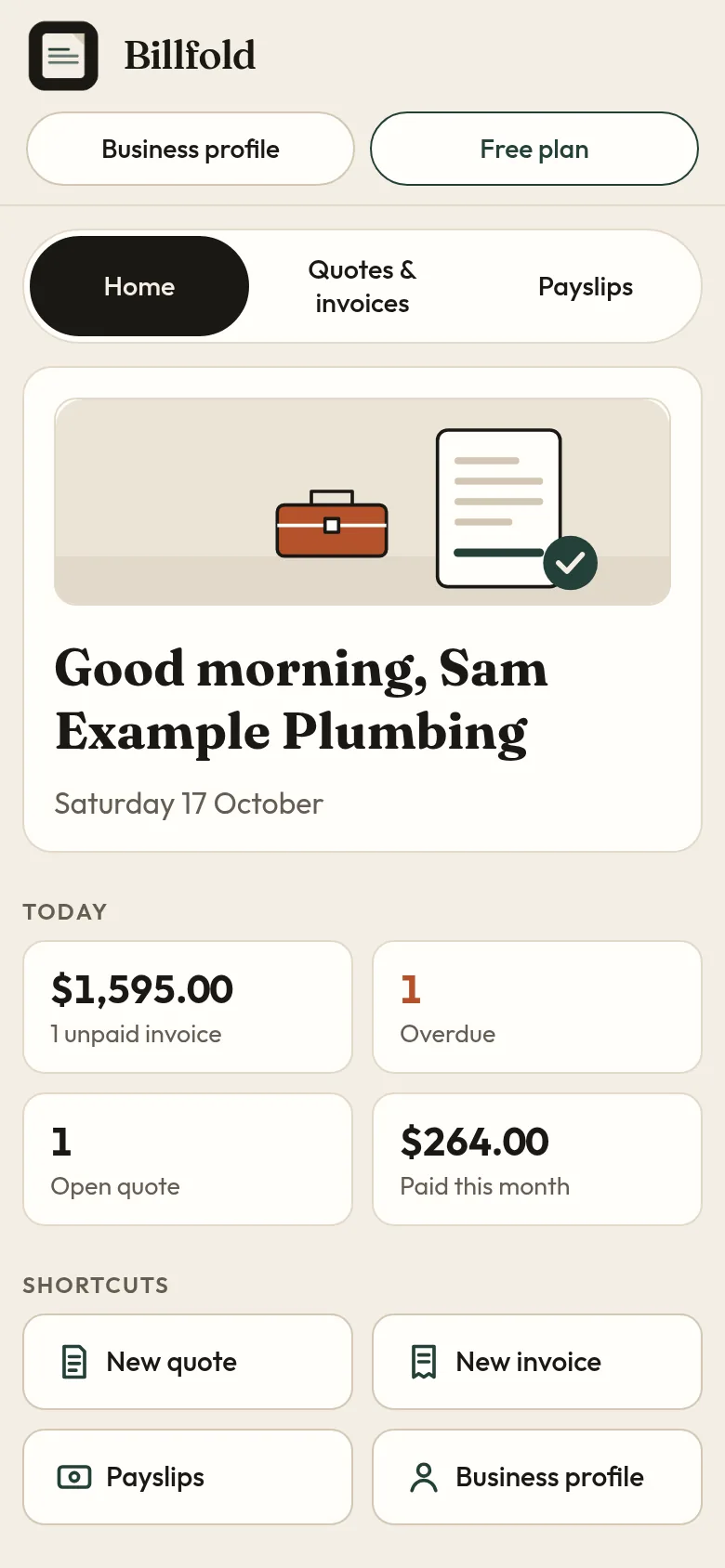
Open the app, see where you stand
Home shows what’s unpaid, overdue and paid this month, and picks up anything you didn’t finish.
Pick up where you left off
Half-done quotes, invoices and payslips are saved as you type, with a prompt to carry on.
Saved line items
Save the jobs you quote often and add them in one tap.
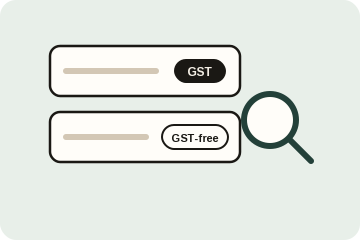
GST per line
Mark any line GST-free and the totals work it out.
Search and filter
Find a document by client or number, or show only unpaid.
Included
In both Free and Pro
- Quotes and tax invoices with a 10% GST switch
- Turn a quote into an invoice in one tap
- Business profile saved once: name, ABN, contact, logo, PayID, BSB and account
- Clients saved on your device and pickable on the next quote
- Deposit and balance, Mark paid, and an Overdue flag when the due date passes
- Payslips with super, deductions and year-to-date totals, and employees saved on your device
- Save as PDF, email, share, and a backup file
- Works offline and installs to your home screen
- No account, no analytics, no trackers
Price
Free to try. A$49 once for Pro.
No subscription. No account. Pay through secure Stripe checkout.
Free
See exactly how it works.
- Up to 3 saved documents and 3 saved payslips
- “Made with Billfold · Free” watermark on each document
- Upload your logo any time; it shows on documents with Pro
- Everything else is included
Pro
For every job from here on.
- Unlimited quotes, invoices and payslips
- No watermark
- Your own logo on quotes, invoices and payslips
- Pay once. You get a key to paste into the app.
Secure Stripe checkout · 14-day refund
Honest limits
What Billfold does not do
Billfold makes quotes, invoices and payslips from the figures you enter. It is not accounting software.
Your ABN, your invoice. Billfold lays out the document. It does not make a PDF a valid tax invoice by itself. You enter your own ABN and business details and are responsible for what the invoice says. Billfold is not endorsed by the ATO.
- No bank feeds or reconciliation
- No BAS lodgement
- It doesn’t work out pay rates, tax or what super you owe, doesn’t pay super and doesn’t report to the ATO. Payslips only.
- No inventory or stock
- No staff logins or shared team accounts
- No card payments or card surcharges on invoices. Clients pay you by PayID or bank transfer.
- No cloud sync. Use the backup file to move or keep your documents.
No account needed
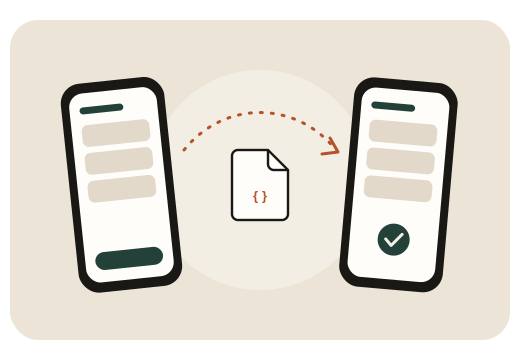
Move to a new phone
There is no account, so your documents move with a backup file.
Export. On the old phone, open Billfold and tap Export backup. It saves a file called
billfold-backup-…json.Send it to yourself. Email the file to yourself, or save it to Google Drive, iCloud Drive or a USB stick.
Import. On the new phone, open Billfold, tap Import backup and pick the file. Your documents, clients, business profile and Pro unlock come across.
Export a backup now and then anyway. Clearing your browser data removes documents stored on that device.
Install
Put it on your phone
Open the app in your phone’s browser. On Android, tap Install app or use the browser menu and pick Add to Home screen. On iPhone, tap Share then Add to Home Screen.
Billfold is a web app. It is not in the Google Play Store or Apple App Store.
- Android: Install app, or menu → Add to Home screen
- iPhone: Share → Add to Home Screen
- Offline: once it’s loaded, it works without signal
Questions
Billfold FAQ
Is there a subscription?
No. The free version is free for good. Pro is one payment of A$49, in Australian dollars, through secure Stripe checkout.
Does it work on iPhone and Android?
Yes. Billfold runs in your phone’s browser and can be added to your home screen. It also works on a computer, and keeps working without an internet connection once it has loaded.
Where are my quotes and invoices stored?
On your device only, in your browser’s storage. Muscat Labs never receives them. Use Export backup to keep a copy or move to a new phone.
Is the PDF a valid tax invoice?
Billfold lays out a tax invoice with your ABN, GST and payment details. You enter your own business details and are responsible for what the invoice says. Billfold is not endorsed by the ATO. See the ATO’s guide to tax invoices.
Can I make payslips for my staff?
Yes. Make payslips from the figures you enter: hours, rates, allowances, loadings, penalty rates, bonuses, deductions and the tax withheld. Billfold adds up gross and net pay, tracks super at a rate you set (12% is filled in, and you can change it or type your own amount) and keeps year-to-date totals. Billfold doesn’t work out pay rates, tax or what super you owe. It adds up the figures you enter. Check with your accountant.
How do I get Pro after paying?
Stripe sends you straight to a thank-you page with your key and a button that unlocks Billfold. Stripe also emails your receipt.
What if it’s not for me?
Ask within 14 days for a full refund, no questions asked. Email hello@muscatlabs.com.au. See the refund policy.
Your next quote, sorted on site.
Free to try. Pro is A$49 once. No subscription.
Need a hand? If something isn’t working as expected, contact our support team at hello@muscatlabs.com.au and we’ll help you sort it out.
Contact support